LG air conditioner remote: installing batteries, upkeep, and forced operation
How to install the batteries, where to point the remote, and what to do if it breaks or goes missing.
Installing and replacing the batteries
Slide the battery cover off in the indicated direction, insert two 1.5-volt AAA batteries matching the +/- polarity, then put the cover back on. Always use two batteries of the same type — mixing old and new, or different types, can make the unit malfunction. If the remote's display starts to fade, that's the sign it's time to replace them. If the air conditioner will sit unused for a long time, it's better to remove the batteries to preserve their lifespan.
Aiming it right so the signal gets through
The signal receiver sits on the indoor unit, so the remote needs to point directly at it with nothing in between. If another device in the room also reacts to the remote (rare, but possible with multiple remote-controlled appliances), simply change its position or contact a technician. Keep the remote out of direct sunlight, and regularly wipe the transmitter and receiver with a soft cloth to keep communication reliable.
If the remote is missing or broken
A forced-operation mode exists directly on the unit for when the remote is temporarily unusable. Just press the ON/OFF button on the unit itself to start it, and press again to stop — handy in a pinch, though the fine settings (temperature, fan speed) will simply stay at whatever the last mode used.
This guide is about
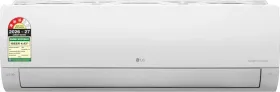
LG AS-Q18DNXE 1.5 Ton 3 Star 2026 Inverter Split AC