Starry Sky AF focusing on the Olympus OM-D E-M1 Mark III
A focus mode dedicated to stars, turned on and interrupted with the same AEL/AFL button.
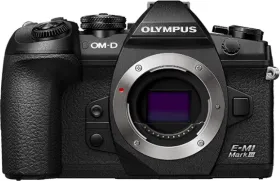
A focus mode built for the night
Starry Sky AF mode is specifically designed for photographing the night sky — a setting where regular autofocus typically struggles to lock onto a subject.
How to turn it on
Simply select FAF as the AF mode and confirm with the Q button. Once that mode is selected, pressing the AEL/AFL button triggers focus on the stars; pressing that same button again interrupts the process while it's running.
A trigger that doesn't follow the usual logic
By default, Starry Sky AF doesn't start with a half-press of the shutter button, unlike typical autofocus behavior — it has to go through the AEL/AFL button. That behavior can be changed, though, via the AEL/AFL setting in Custom Menu J, so that focus also starts on a half-press.
The visual feedback during focusing
While Starry Sky AF is running, the camera displays "Starry Sky AF is Running" on screen. Once focus succeeds, the in-focus indicator stays displayed for about two seconds to confirm the stars are sharp.
This guide is about
Olympus OM-D E-M1 Mark III Mirrorless Camera (Body Only)