The Smart Cover Lock on the HP Z2 Tower G9
A software-controlled lock that protects the inside of the case — and what to do when the cover refuses to open.
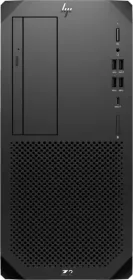
A lock controlled entirely by software
On select models, Smart Cover restricts unauthorized access to internal components through a solenoid lock that's entirely software-controllable — a physical safeguard built for a professional workstation, where hardware integrity matters just as much as software security.
What to do when the cover won't open
When the cover or access panel refuses to come off, the most likely cause is that the Smart Cover Lock is engaged. Normal unlocking is done through Computer Setup. In case of a forgotten password, power loss, or computer malfunction, the lock must be disabled manually.
A key you need to source yourself
HP doesn't supply a key to manually unlock the Smart Cover Lock — that type of key is typically available from a hardware store. A detail worth knowing before getting stuck facing a locked case with no access to Computer Setup.