Using Selection/Memo Shot on the Sony Alpha 7R VI
Automatically marking the first image of a burst for faster sorting later, with no manual intervention.
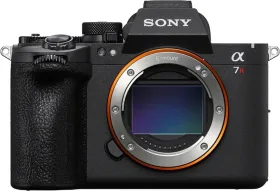
Organizing the sort before you even shoot
The Selection/Memo Shot function helps organize images from continuous or interval shooting by automatically marking key frames. During a burst or interval shoot, the camera can automatically set a rating on the first image, or insert a divider frame right before it.
The Top Image setting
This parameter determines whether the first frame in a series gets automatic marking — via a divider frame or a rating from 1 to 5 stars — or stays unmarked. It's configured from MENU > Shooting > Shooting Option > Selection/Memo Shot.
A special case with Pre-Capture
When Pre-Capture mode is in use, the Pre-Capture Shutter Rel setting automatically applies a rating to the first image captured after the shutter button is fully pressed — an immediate marker for telling apart, during sorting, images that came from the pre-capture buffer versus those taken after the actual shutter release.
The practical benefit of this function
This tool simplifies post-shooting organization by automatically flagging important frames without requiring manual selection afterward.
This guide is about
Sony Alpha 7R M6 Mirrorless Camera (Body Only)