How to properly take care of your iPhone 16's safety and battery
Face ID, charging, hearing aid compatibility, warranty: what Apple's official iPhone 16 information sheet actually says, and how to check this information directly from your phone.
First, check out the real user guide
Apple says it upfront: the product sheet that ships with the iPhone 16 isn't the full manual. The detailed user guide, with every feature explained, lives at support.apple.com/guide/iphone — that's the first place to look if you're trying to understand a specific feature; what follows here is about safety and warranty.
Face ID and the proximity sensor: lasers under watch
iPhone 16's face recognition relies on a TrueDepth system that, like the proximity sensor, contains one or more lasers classified as "Class 1" — the safest category under normal use. If your iPhone shows a notification saying the laser system has been disabled (usually after a drop or malfunction), that's an automatic safety measure: never try to repair the device yourself in that case, and have it examined by Apple or an authorized service provider. Unauthorized repair on these components can prevent the safety mechanisms from working properly and expose you to laser emissions.
Battery: never repair it yourself
Apple is explicit here: only a trained technician can service the battery without risking overheating, fire, or injury. At end of life, it must be recycled separately from household waste, according to local regulations — never thrown out with regular trash. For any question about charging or replacement, Apple points to apple.com/batteries/service-and-recycling.
Hearing aid compatibility
iPhone 16 is certified hearing-aid compatible under the ANSI C63.19-2019 standard, with a conversational gain of 13 dB with a hearing aid and 18 dB without. If you use a hearing aid or cochlear implant, it's still worth testing the phone's different features (calls, speaker, headset) in several environments to catch any interference — the certification covers existing wireless technologies, but the newest 5G mmWave bands can't yet be tested under this standard.
Check the regulatory information directly on the device
No need to hunt for an external document to see your iPhone's regulatory status: go to Settings > General > Legal & Regulatory > RF Exposure to view this data on screen. That's also where the device's full certifications live.
One-year warranty: what it actually covers
iPhone 16 is covered for one year from the purchase date against defects in materials and workmanship — not against normal wear or accidental damage. To make a claim, an Apple Store visit, a call to Apple, or an authorized provider can open a case; the exact options (repair, replacement, or refund, at Apple's discretion) and any fees depend on the country where service is requested. Keep your proof of purchase — it may be required for any claim.
This guide is about
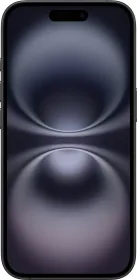
Apple iPhone 16