Samsung Wallet: contactless payment and digital car key on the Galaxy S26 Ultra
Set up Samsung Pay, pay without taking out a card, turn your phone into a car key: everything about Samsung Wallet and NFC.
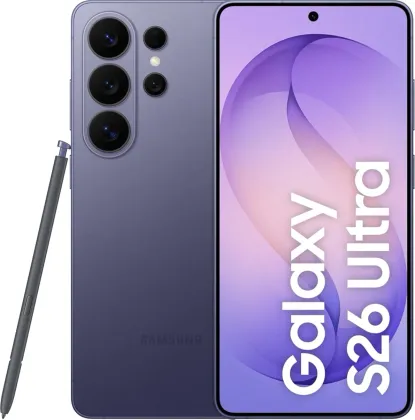
Setting up Samsung Wallet
The first time you launch the Wallet app, you need to sign in with your Samsung account, accept the terms of use, then register a fingerprint and a PIN code, which will later be used to confirm payments and unlock the app.
Paying with your phone
Once a card is registered in Samsung Pay, simply swipe its image up on the screen (or select it from the card list), confirm with your fingerprint or PIN code, then hold the back of the phone near the payment terminal. If there's an error or you need to cancel, you must go directly to the place of purchase to follow the cancellation procedure from the card in question.
Enabling NFC to read tags and pay contactlessly
NFC (Settings > Connections > NFC and contactless payments) lets you read information from an NFC tag by simply holding the back of the phone near it, with the screen on and unlocked. The same antenna is used for contactless payments; the default payment app to use is chosen in this same menu (Default wallet app) — handy when installing a new payment app that takes over from an older one.
A digital car key in your phone
For compatible vehicles, a digital key can be registered in Samsung Wallet, usually via the manufacturer's app or an invitation message sent by them. Once set up, simply hold the phone near the door's NFC zone to lock or unlock the vehicle; on S26 and S26 Ultra models compatible with Ultra-Wideband (UWB), the car can even unlock automatically as you approach, with no action needed.
Boarding passes, tickets and identity
Beyond payments, Wallet also centralizes plane, cinema or event tickets, as well as biometric data registered via Samsung Pass to sign in faster to services that normally require a password.
The Zonelectro tip
If an NFC payment repeatedly fails after installing a new banking app, check the default wallet app in the NFC settings first: it's often the simplest cause, before considering a hardware issue.
This guide is about
 Samsung Galaxy S26 Ultra 5G