Resetting the system clock (RTC) on a Dell OptiPlex 7010
The trick worth knowing when the computer won't start at all — no display, no POST, no reaction whatsoever.
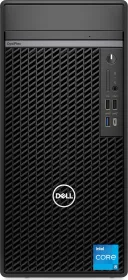
A fix to try before taking anything apart
Faced with a total failure to boot, a persistently black screen, or a freeze before the startup logo even appears, resetting the real-time clock (RTC) is the first thing to try, before considering opening the case or swapping out a component.
The procedure
This can only be triggered from a fully powered-off state, and the computer must stay connected to AC power throughout. Simply press and hold the power button for 25 seconds: the system clock reset happens the moment the button is released.
What it fixes, and what it doesn't
This procedure specifically targets situations like no POST, no boot, or no apparent power. If the computer starts normally but runs into a different kind of malfunction, it's better to check the chassis's diagnostic lights, which pinpoint the nature of the problem more precisely (memory, motherboard, CMOS battery, and so on).