Setting the cooling fan on the Panasonic Lumix S1R II
The six available modes for managing heat during long video sessions, from silent operation to maximum cooling.
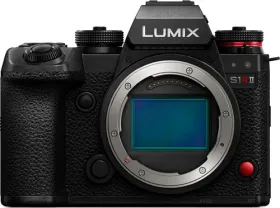
A built-in fan for long shoots
The S1R II includes a cooling fan, with an air inlet and outlet located on the body — openings that should never be obstructed with newspapers, tablecloths, curtains, or similar items, as doing so would hurt its effectiveness.
Six operating modes
The Fan Mode setting offers six options. Auto1 automatically switches the fan between slow and normal speed depending on the body's temperature, prioritizing control over temperature rise. Auto2 extends this automatic switching to include off, slow, and normal speed. Fast runs the fan continuously at high speed, Normal at standard speed, and Slow continuously at reduced speed. Off disables the fan entirely.
Limits worth knowing depending on the chosen mode
The Off option is only available in photo mode. The Slow mode, meanwhile, becomes unavailable as soon as certain demanding video settings are turned on — a resolution exceeding 4K, a high frame rate above 60p, or a Slow & Quick setting exceeding 60 fps. In those specific cases, the mode automatically switches to Auto1 to ensure sufficient cooling.
This guide is about
Panasonic Lumix S1R II Mirrorless Camera