Laptop: which processor should you choose?
Core i5, Ryzen 7, Core Ultra... processor names have become unreadable. Here's how to make sense of them without being an engineer.
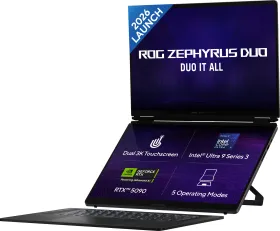
The processor name alone isn't enough
Two laptops can display the same processor name (say, "Core i5") and perform very differently depending on the generation, the suffix (U, H, HX), and above all whether the manufacturer capped its power draw. The suffix is often more important than the number: a "U" chip is built for battery life and thin designs, while an "H" or "HX" is built for raw power, even if that means running hotter and drawing more power.
Office work and browsing: don't overpay for power
For office work, browsing, video calls, and streaming, nearly every recent processor — including entry-level ones — is more than enough. In that case, RAM (16 GB minimum today) and a fast SSD have a bigger impact on how the laptop actually feels day to day than the processor itself.
Content creation and gaming: look at the graphics card
For photo/video editing or gaming, it's the dedicated graphics card (GPU) that makes the difference, not just the processor. A laptop with a great processor but no dedicated GPU will stay limited for these uses, no matter how many cores it advertises.
Compare instead of decoding spec sheets
Rather than trying to memorize every processor naming scheme, the simplest approach is to directly compare 2-3 models in the same price range using the "Best performance" guided mode: it weighs processor, RAM, and storage together and shows an overall score, so you don't have to decide based on one isolated number.