The Pre-Capture function on the Sony a9 III
How to recover up to a full second of images shot before the shutter is fully pressed, and the situations where the feature disables itself.
Photographing what already happened
Pre-Capture lets you start shooting slightly before fully pressing the shutter button, using continuous shooting. The camera starts and keeps capturing still images as soon as the shutter is held at half-press or a custom key is pressed; images taken in the seconds before the full press are then recorded retrospectively. This function is only available in continuous shooting drive mode.
Configuring the feature
The Shooting menu > Drive Mode > Pre-Capture Settings offers three settings: turning Pre-Capture on or off, setting the recall time (from 0.005 seconds to 1 second), and choosing the trigger — shutter half-press, an AF-assigned custom key, or both.
What's worth knowing before using it
At a continuous shooting speed of 120 or 60 frames per second, the minimum shutter speed shifts to 1/30 second when Pre-Capture is on; at 30 fps or slower, it shifts to 1/8 second. The actual number of images recovered also depends on the combination of shooting speed and image quality chosen — the full configured duration isn't always guaranteed. On the playback screen, a dedicated icon identifies images captured during pre-capturing, grouped together with those taken after the full press.
When the feature disables itself automatically
Pre-Capture stays unavailable during focus magnification, when the flash mode is set to Fill-flash, Slow Sync, or Rear Sync, or when sync terminal settings are set to Always. A temperature rise caused by a high continuous shooting speed can also stop pre-capturing, as the camera protects itself.
This guide is about
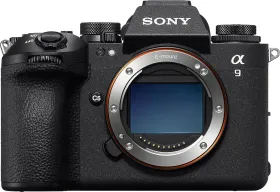
Sony a9 III 25MP Mirrorless Camera (Body Only)