Customizing Pre-Release Capture on the Nikon Z8 (Custom Setting d3)
Choosing how much burst is recorded before and after the full shutter press, and spotting the buffering indicator in the viewfinder.
Two bursts to configure separately
Custom Setting d3 lets you choose the length of the burst recorded from the buffer when the shutter-release button is pressed all the way down — both the portion of the buffer saved to the card at the moment of release (pre-release burst) and the pictures taken after that release (post-release burst).
Available durations for the post-release burst
For the post-release burst, you can choose the maximum length of time the camera keeps taking pictures while the shutter-release button stays fully pressed: 1 second, 2 seconds, 3 seconds, or Max.
Spotting the buffering in progress
When an option other than None is selected for the pre-release burst, a dedicated icon appears in the shooting display. As long as the shutter-release button stays pressed halfway, a green dot appears in that icon to signal that buffering is active. If the shutter-release button isn't pressed all the way down within about 300 seconds, that green dot changes and Pre-Release Capture is automatically cancelled.
This guide is about
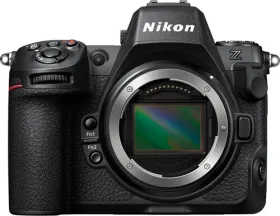
Nikon Z8 45.7MP Mirrorless Camera (Body Only)