Variable Shutter and anti-flicker on the Sony a9 III
A shutter speed adjustable down to a tenth of a stop, designed to eliminate brightness shifts caused by artificial lighting.
Flicker invisible to the eye, visible in your photos
Under artificial lighting, the light source's flicker frequency can create brightness or color differences from one frame to the next in a burst — a phenomenon often invisible to the naked eye but perfectly noticeable across a series of shots. The a9 III's Variable Shutter tackles this directly by finely adjusting shutter speed according to the detected flicker frequency.
A shutter speed displayed to a tenth
When Variable Shutter is turned on, the shutter-speed denominator is displayed in decimal format — a speed normally set to 1/250 second appears, for example, as 250.6. This setting is only available in exposure modes that allow manual shutter speed adjustment, for both stills and movies.
Fine-tuning the setting manually
On the dedicated screen, the rear-left dial, rear-right dial, or control wheel let you fine-tune the high-resolution shutter speed in small steps (for example 250.6, then 253.3, then 256.0). The front dial, meanwhile, lets you jump directly to an integer multiple value (125.3, then 250.6, then 501.3). Returning to the standard display is as simple as turning Variable Shutter off.
A quick toggle via custom keys
Assigning Anti-flicker Shoot Sel. or Var. Shutter Select to a custom key lets you switch either function on and off with a single press, without going back through the menus.
This guide is about
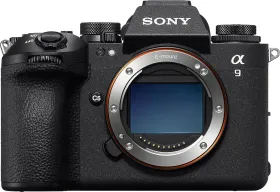
Sony a9 III 25MP Mirrorless Camera (Body Only)