Auto Clean and the Plasma filter: keeping the air clean on an LG air conditioner
How to clear out residual moisture after running in Cool mode, and what the Plasma filter actually does for air quality.
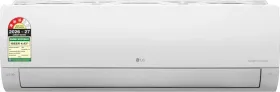
Drying the inside of the unit after use
Auto Clean mode is turned on from the remote and runs the fan internally for about 30 minutes every time the unit is switched off, with no perceptible cooling or dehumidifying effect in the room. The purpose is purely technical: clearing out the moisture that builds up inside the indoor unit after running in Cool or Dehumidify mode, to limit residual dampness. During this phase, only the ON/OFF, Plasma, and Auto Clean buttons stay active; pressing Auto Clean a second time cancels it.
What the Plasma filter does
The Plasma filter generates an electromagnetic flow meant to neutralize microscopic contaminants in the room's air. It turns on and off independently of whatever mode is currently running, including while the unit is off — a single press of the Plasma button is all it takes either way.
Simple upkeep that shouldn't be skipped
The air filter should be cleaned roughly every two weeks, more often in a dusty room, and put back correctly after each cleaning: a clogged filter noticeably reduces the unit's performance. Use only a soft cloth — never harsh detergent or solvents, which can damage the plastic parts.
This guide is about
LG AS-Q18DNXE 1.5 Ton 3 Star 2026 Inverter Split AC