Cool, Heat, and Auto modes: how to set them on an LG air conditioner
Choosing the right temperature and fan speed, and understanding what the automatic mode actually does.
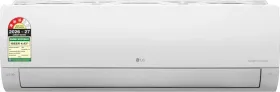
Turning the unit on and picking a mode
Pressing the ON/OFF button starts the unit (a beep confirms it), and each press of the mode-selection button cycles through the options in the order shown by the arrow on the remote: Cool, Auto, Healthy Dehumidify, Heat (on reversible models), and Air Circulation.
Setting the temperature and fan speed
In Cool mode, the temperature can be set between 18°C and 30°C; in Heat mode, between 16°C and 30°C. Fan speed offers six levels — low, medium-low, medium, medium-high, high, and natural — accessed via the remote's dedicated button. Natural Wind mode recreates the feel of a breeze rather than a steady airflow, for a more pleasant sensation.
What Auto mode actually does
In automatic (auto swing-over) mode, the unit decides on its own between Cool and Heat to keep the set temperature within ±2°C, and fan speed can't be adjusted manually — it's already optimized for this mode. If the result isn't what you expected, it's better to switch manually to a regular Cool or Heat mode instead.
Healthy Dehumidify mode
This mode automatically adjusts room temperature and airflow for comfortable dehumidification, and the temperature can't be displayed or manually set while it's running — the unit relies entirely on the detected room temperature.
This guide is about
LG AS-Q18DNXE 1.5 Ton 3 Star 2026 Inverter Split AC