Using Water Lock mode on the Galaxy Watch Ultra2
Why it turns on automatically during swimming, and the exact steps to turn it off without harming the sensors.
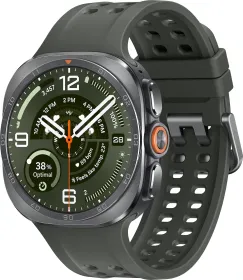
Automatic activation for water sports
When selecting a water sport such as swimming or snorkeling, Water Lock mode turns on automatically. Its purpose: preventing unintentional actions — screen taps or accidental inputs — while exercising in the water, since touch recognition becomes unavailable while it's active.
Navigating despite the locked screen
Once the mode is on, you can still switch the workout screen simply by pressing the Quick button, without needing to touch the display.
Turning it off — a step not to skip
Before finishing a swimming session, first press and hold the Home button to turn off Water Lock mode, then shake the watch to fully clear out any residual water — an essential step for the atmospheric pressure sensor to work properly afterward — and finally confirm by tapping OK.
This guide is about
Samsung Galaxy Watch Ultra 2