Clean Feed mode on the Blackmagic PYXIS 12K
Stripping all status text and overlays from a video output, while keeping the record tally visible.
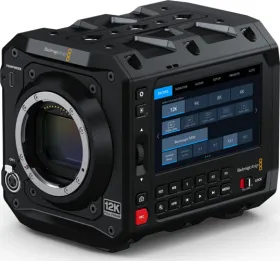
A video output stripped of overlays
The Monitor tab lets you adjust status text, overlays, and other image monitoring options for the PYXIS 12K, with separate settings for each output: LCD screen, SDI, and USB-C.
Turning on Clean Feed
Turning on the Clean Feed switch disables all status text and all overlays on a given output — with one exception. That output stays useful for a final recording or broadcast feed, stripped of any superfluous interface elements.
What stays visible no matter what
Even in Clean Feed mode, the record tally indicator keeps showing. That's the one piece of information kept: the camera retains a visual cue of its recording state, even after every other overlay has been removed from the image.
An independent setting per output
The settings on the first page of the Monitor tab are identical for each output but adjustable separately — for example, you can turn zebra on for the LCD touchscreen while leaving it off on the SDI output, giving real flexibility between on-set monitoring and a clean broadcast feed.
This guide is about
Blackmagic PYXIS 12K Cinema Camera