Setting the timer and Auto Sleep mode on an LG air conditioner
Setting the clock, scheduling an automatic start or stop, and understanding what Sleep mode changes about comfort and temperature.
Setting the clock before any scheduling
Holding the Timer button for 3 seconds opens the current-time setting; the dedicated buttons cycle through hours and minutes, with the (< >) button switching between the two and the a.m./p.m. indicator. Pressing Set/Clear confirms the setting.
Scheduling an automatic start or stop
Pressing the Timer button once turns on Schedule mode (a second press turns it off). After setting the desired time with the same buttons used for the current time, pressing Set/Clear confirms the schedule; pressing it again cancels it. To clear all timer settings at once, a single press of Set/Clear is enough.
Auto Sleep mode and nighttime comfort
This mode is set by pressing the dedicated button one to seven times, for an automatic shutoff between 1 and 7 hours later. Once active, the indoor unit's fan drops to a very low speed in Cool mode and low speed in Heat mode. In Cool or Dehumidify mode, the set temperature automatically rises by 1°C twice over the following 30 minutes (up to 2°C total) for more comfortable sleep — this setting stays in effect for as long as Sleep mode is running.
This guide is about
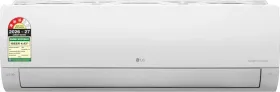
LG AS-Q18DNXE 1.5 Ton 3 Star 2026 Inverter Split AC