Best Gaming Desktop PCs in 2026: How Not to Get It Wrong
An overpowered GPU held back by a weak CPU is wasted money — balance matters more than any single spec.
CPU/GPU balance comes first
The most common mistake is pouring the whole budget into the graphics card while skimping on the processor, or the other way around. A high-end GPU paired with a weak CPU creates a bottleneck: the graphics card ends up waiting on the processor and never gets to show its full potential, especially in CPU-heavy games (simulation, strategy, anything with heavy physics calculations). The reverse — an overpowered CPU with a modest GPU — is just as pointless for gaming. Before buying, look at benchmarks that pair the two components together rather than judging each in isolation.
Cooling and airflow: performance that actually holds up
A PC that posts great numbers in the first ten minutes of a game but heats up and slows down after an hour-long session (thermal throttling) isn't really fast — it just looks that way briefly. The case matters almost as much as the components inside it: poorly planned airflow, with too few intake or exhaust points, traps heat inside even if every individual part is excellent on paper. Check the number and placement of fans, and if budget allows, liquid cooling for the CPU meaningfully eases overall system heat during long sessions.
A power supply with real headroom, not the bare minimum
The power supply (PSU) is often the component people choose last and cheapest, when it should really be the opposite. A PSU sized exactly to the GPU maker's recommended wattage leaves little margin for occasional power spikes or a future upgrade, and ages faster running constantly near its limit. Budgeting 20 to 30% headroom above the system's theoretical draw costs a bit more upfront and avoids a lot of instability down the line.
Upgradability: the real difference between building your own and a sealed prebuilt
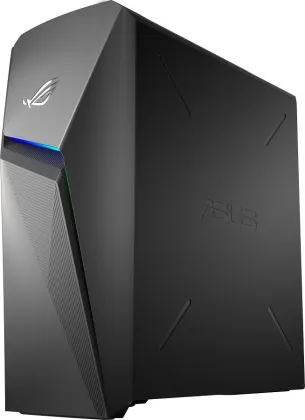
A PC built piece by piece (or configured by a builder that documents every component) can evolve over the years: swap the GPU, add RAM, or replace storage without a full rebuild. A sealed prebuilt system, designed for one fixed configuration, complicates or blocks those upgrades, which shortens its useful life even if initial performance is good. One often-overlooked spec today: the GPU's VRAM amount. A card with little VRAM might seem fine now but hit its limits sooner than expected as newer games demand more graphics memory.
To compare configurations that hold up well right now, check our ranking of the best desktop PCs for performance.