Simulating an ND filter without physical glass on the Olympus OM-D E-M1 Mark III
Live ND Shooting combines several exposures to produce the effect of a slow shutter speed, in broad daylight.
A fully computational neutral density filter
Live ND Shooting has the camera make a series of exposures, which it then combines to produce a single photo that appears to have been taken at a slow shutter speed — with no need to screw any physical filter onto the lens. This function is only available in S (shutter priority) and M (manual) modes.
Five filter strengths to choose from
The ND Number setting lets you choose an ND filter type that the camera automatically converts into an exposure value, in 1 EV increments: ND2 (1 EV), ND4 (2 EV), ND8 (3 EV), ND16 (4 EV), and ND32 (5 EV) — faithfully mirroring the range of physical ND filters on the market.
Previewing the effect before you shoot
The LV Simulation option lets you choose whether the selected filter's effect should be previewed at the current shutter speed: turned on, the display directly shows the effects of that speed; turned off, the standard shooting display is used instead.
One detail worth watching during setup
Changing exposure compensation or shutter speed resets the LV Simulation display — a behavior worth keeping in mind to avoid losing the preview mid-adjustment.
This guide is about
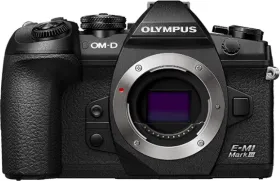
Olympus OM-D E-M1 Mark III Mirrorless Camera (Body Only)