The built-in LED flashlight on the Garmin Fenix 8
A quick double press turns it on instantly, a programmable strobe mode, and a distress pattern to signal your position.
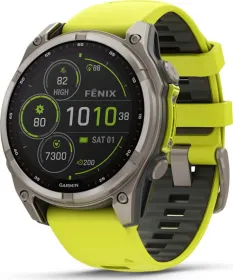
Turning on the light in one motion
The Fenix 8 has a genuine LED flashlight, accessible from any screen with a quick double press. During the first three seconds after turning it on, simply pressing the up or down buttons adjusts brightness and color — a fast adjustment, no menu required.
Programming a strobe mode
Beyond simple lighting, the flashlight can be programmed to flash in a chosen pattern: hold the button, select Strobe, choose a mode, then confirm. A custom setting is also available, letting you define your own blink interval, with a slow-blink option designed to save battery life.
The distress pattern
A specific mode programs the flashlight to flash in a distress pattern and displays your registered emergency contact information. One important note, though: this mode doesn't automatically contact loved ones or emergency services — the contact details only display if an emergency contact has already been set up in the Garmin Connect app.
What's worth knowing before overusing it
Using the flashlight reduces battery life; lowering the brightness helps extend it. A warning also applies to people sensitive to flashing lights or with epilepsy, who should consult a physician before using the strobe mode.
This guide is about
Garmin Fenix 8 Solar Smartwatch (51mm)