Pairing the wireless subwoofer on the JBL Cinema SB260
Automatic pairing right at first power-on, and the manual procedure to follow if the subwoofer stays silent.
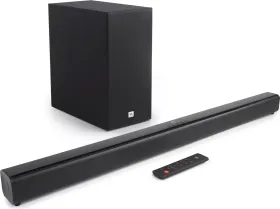
Automatic pairing as soon as it's powered on
Plug the soundbar and the subwoofer into mains power, then switch the whole system on: the subwoofer and soundbar pair automatically. During pairing, the subwoofer's indicator flashes fast; once pairing succeeds, that same indicator stays lit steadily.
If no sound comes from the subwoofer
When automatic pairing fails and no sound comes from the wireless subwoofer, a manual procedure resolves the issue: unplug both units from the mains, wait 3 minutes, then plug them back in. Then press and hold the Pair button on the back of the subwoofer for a few seconds — its indicator starts flashing fast. Finally, press the power button on the soundbar or the remote to switch it on: the subwoofer's indicator turns steady once pairing succeeds.
A button not to press without reason
The Pair button on the back of the subwoofer should only be pressed as part of this manual pairing procedure — pressing it outside that context risks breaking the wireless link already established with the soundbar.
This guide is about
JBL Cinema SB260 Soundbar with Subwoofer