MSI Titan 18 HX AI: upkeep, updates, and battery longevity
Safe cleaning, storage management, the 20-80% rule for the battery: good habits for the long run.
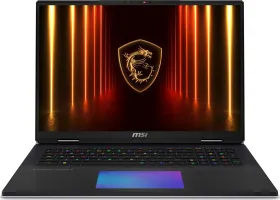
Cleaning without damaging the machine
A soft, lint-free cloth is enough for the screen and chassis — never an abrasive cleaner or a solvent. For the keyboard, compressed air clears out dust and debris without forcing anything between the keys. The ventilation grilles deserve regular cleaning: a blockage there is a common and avoidable cause of overheating.
Keeping the system up to date
Windows, drivers, and MSI software should be updated regularly, both for performance and for security. Windows Update and MSI's official support channels are the two places worth checking.
The 20-80% rule for battery health
Avoiding repeated full discharges extends the battery's useful life. It's recommended to keep the charge between 20% and 80% for long-term use, rather than always aiming for 100% or waiting for a full discharge. If the laptop will sit unused for a long time, store it somewhere cool and dry.
Managing large amounts of storage
With an NVMe SSD that can reach several terabytes, it's still worth tidying up regularly: uninstalling unused apps and deleting unnecessary files helps keep system performance steady over time. The laptop's advanced cooling system handles heat dissipation during the heaviest workloads, but keeping storage healthy remains the user's job.