MSI Titan 18 HX AI: setting up the 4K Mini LED 120Hz display
Resolution, refresh rate, HDR certification: how to get the most out of the 18-inch screen.
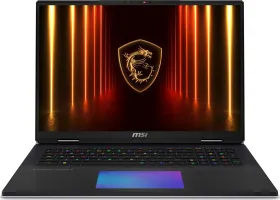
What the display actually offers
The 18-inch screen combines 4K UHD resolution (up to 3840 x 2160 pixels) with a Mini LED panel, for a wider color gamut and deeper blacks than a conventional LCD panel. It's VESA DisplayHDR 1000 certified — a genuine, objective benchmark for HDR quality rather than just a marketing claim. The refresh rate goes up to 120 Hz, for noticeably smoother motion both in games and everyday use.
Adjusting resolution and refresh rate
Both settings live in the same place: right-click the desktop, then Display settings in Windows. That's where resolution and refresh rate can be tuned to the task at hand — 120 Hz demands more graphics horsepower than a 60 Hz display, a tradeoff worth keeping in mind depending on the game or app running.
Switching between video outputs
The Fn + F2 combination cycles through the available display modes: internal screen only, external screen only, duplicated across both, or extended between the two. Handy for quickly plugging in an external monitor without going back into Windows settings every time.