How to diagnose a camera problem on the iPhone 16
Blurry photos, a flash that stopped working, an app that crashes: the diagnostic method to try before considering a camera module replacement.
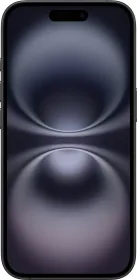
Two very different families of symptoms
Camera problems fall into two categories: image quality (blur, incorrect exposure, drifting colors, visible scratches on photos) and functional failures (unable to take a photo or video, app crashing, flash not working). The cause and diagnostic method differ depending on which one you're dealing with.
Always start with the simplest thing
Before anything else: clean the lens and remove any case that might obstruct the camera or cause magnetic interference. Simple dust or a poorly fitted case explains a good share of reported issues.
Visual inspection and software tests
If cleaning isn't enough, a visual inspection for physical damage or debris around the camera area is the second step, followed by the built-in diagnostic suites (Mobile Resource Inspector and camera-specific tests).
When the problem really is hardware
Only after these checks does a deeper hardware inspection (flex cables connecting the cameras to the logic board) and, if needed, replacing the camera module, back glass, or relevant assembly come into play — depending on the exact model and symptom. Most reported cases actually come from environmental factors (dirt, an accessory) rather than a genuinely failed part.
This guide is about
Apple iPhone 16