Troubleshooting: solving common Galaxy S26 Ultra issues
Phone freezing, temperamental Bluetooth, an overheating battery, a camera that won't open: solutions to the most frequent issues.
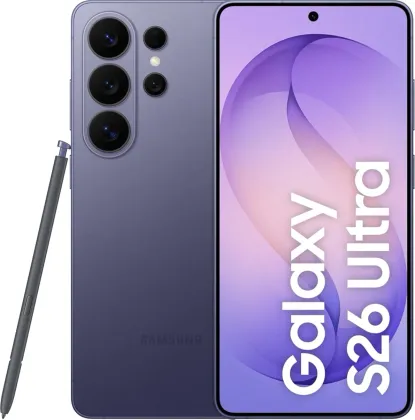
The phone freezes or stops responding
If the screen stays stuck and doesn't react to anything, a forced restart resolves the vast majority of cases: simply hold down the side button and the volume down button together for more than 7 seconds. If the problem persists after this restart, updating the phone's software is the first thing to check, before considering a full reset (Settings > General management > Reset > Factory data reset), which should only be done after backing up all important data.
Bluetooth won't detect or properly connect a device
First check that the device you're trying to connect is in discoverable mode, and that both devices stay within Bluetooth's maximum range (about 10 meters, without too many obstacles in between). If the problem persists, turning Bluetooth off and back on in settings is often enough; as a last resort, resetting network settings (General management > Reset > Reset Wi-Fi and Bluetooth) resolves most stubborn cases, at the cost of having to re-pair devices already connected.
The camera won't open or shows an error
An error message when opening the camera is most often linked to insufficient available storage or a low battery: freeing up space by transferring or deleting files, charging the phone, then restarting the device fixes nearly all of these cases.
The battery drains faster than before
A gradual decline in battery life over time is normal: the battery is a component that wears out with charge cycles. It accelerates noticeably with the use of power-hungry apps like GPS or games, and with exposure to extreme temperatures, whether very cold or very hot.
Mobile network or internet keeps dropping
In an area with weak signal, the connection can drop repeatedly: moving, even slightly, is sometimes enough to regain good reception. Moving while in transit (train, car) can also temporarily disable certain network services due to frequent cell tower handoffs, without this being a fault of the phone.
The phone can't find the current location
Indoors, GPS signal can be blocked by walls and the building itself: in that case, the phone must rely on Wi-Fi or the mobile network to estimate its position, generally with somewhat less accuracy than GPS outdoors in the open.
The Zonelectro tip
Before contacting a service center, the built-in Samsung Members app offers a complete, automatic diagnostic of the device (battery, screen, sensors, network) that can often pinpoint the exact source of a problem within minutes.
This guide is about
 Samsung Galaxy S26 Ultra 5G