HP OMEN 16 Max: getting to know the ports, lights, and special keys
The battery light, the camera privacy cover, the OMEN key: what every element of the laptop actually means.
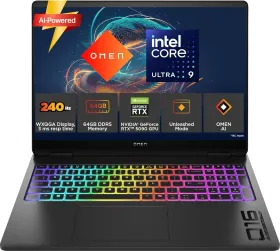
The ports, on the right, left, and back
The USB 10 Gbps port handles fast data transfer and can charge a small device when the computer is on. The USB-C 100 W port combines power delivery, data transfer, and DisplayPort video output — plugging in the included power adapter guarantees full performance and battery charging even during the heaviest tasks. The back holds the RJ-45 network port, the HDMI port, and a second USB 10 Gbps port; a light near the power connector shows charge status (white = battery full and adapter connected, blinking amber = low battery, solid amber = charging, off = not charging).
The special keys and exactly what they do
The esc key shows system information when combined with fn; the Copilot key opens the Windows assistant (or the Bing search engine if Copilot isn't available); the OMEN key opens the OMEN Gaming Hub software directly. A quick press of the power button turns the computer on or triggers sleep; holding it down causes unsaved data to be lost, and a 10-second press forces a shutdown if the machine stops responding.
The camera and its privacy cover
The privacy cover, uncovered by default, slides to hide the lens whenever you want. On dual-camera models, revealing one automatically hides the other.
Finding service information
The service label, on the bottom of the machine or inside the battery bay depending on the model, shows the serial number and product number — worth having on hand before contacting HP support.