Connecting the JBL Cinema SB260 soundbar via HDMI ARC
A single cable to receive TV audio — provided HDMI-CEC is switched on beforehand on the TV.
The best option for digital sound
An HDMI connection remains the best option for linking the soundbar to a TV, since it supports digital audio. If the TV supports HDMI ARC, a single HDMI cable is enough to hear TV audio through the soundbar.
Plugging the cable into the right place
Using a High Speed HDMI cable, connect the soundbar's HDMI OUT (ARC) to TV output to the TV's HDMI ARC connector. That connector might be labeled differently depending on the TV — refer to the TV's manual to identify it with certainty.
A step not to skip on the TV side
On the TV, the HDMI-CEC function needs to be turned on for the ARC link to work — the activation method varies by TV brand and model, so it's worth checking that TV's own manual. Only HDMI 1.4 cables or higher support the ARC function.
If sound still isn't coming out
In Optical or HDMI ARC mode, if no sound comes out of the soundbar while the status indicator flashes, it may be necessary to turn on PCM or Dolby Digital signal output directly on the source device (TV, DVD, or Blu-ray player).
This guide is about
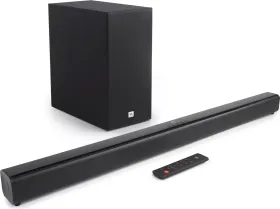
JBL Cinema SB260 Soundbar with Subwoofer