Setting up the Quick button on the Galaxy Watch Ultra2
This circular button dedicated to outdoor sports can launch a workout, turn on the flashlight, or trigger a siren — here's how to configure it.
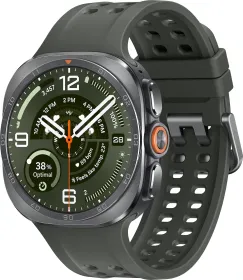
A button built for effort and the outdoors
The Quick button is the circular button located between the Home button and the Back button, designed to instantly launch the features you need during a workout or an outdoor activity. It's configured under Settings > Buttons and gestures, in the Quick button entry.
Two categories of possible actions
The Quick button can be set to open the exercise list or start a workout directly — during the session, it then lets you perform detailed actions specific to each exercise. It can also be assigned to other features, such as the stopwatch or the flashlight. If no action is wanted, selecting None simply disables the button.
One or two presses, your choice
The Start action with setting lets you choose whether the selected exercise or feature launches after a single press or a double press of the button.
The siren: a long press that can save time
Holding the Quick button for more than 5 seconds triggers an audible siren — useful in an emergency to signal your location or attract attention. A countdown precedes the trigger: pressing any button during that window cancels it, while another long press of over 3 seconds stops the siren once it's sounding. If the siren doesn't trigger, check that the Siren switch is turned on under Settings > Buttons and gestures.
This guide is about
Samsung Galaxy Watch Ultra 2