Calibrating and using Eye Control on the Canon EOS R5 Mark II
Driving autofocus with your gaze through the viewfinder — the five-point calibration process, and when the feature won't work.
Focusing with a glance
Eye Control lets you control focusing simply by looking at the AF points through the viewfinder, in still-photo shooting only. Once enabled, a pointer appears in the viewfinder: just gaze at the desired subject, then press the shutter button halfway to confirm it. With Servo AF active, the camera then maintains focus tracking without needing continuous eye movement.
Five-point calibration
Calibration registers the characteristics of your own eye for accurate line-of-sight detection. The camera captures data at five positions: center, right, left, top, and bottom. For better accuracy, it's recommended to also calibrate for vertical shooting orientations. Multiple calibration profiles can be saved — useful if the camera is shared or eyewear varies.
Conditions to respect during calibration
Keep your eyes wide open without squinting, maintain the proper distance from the viewfinder, and hold the camera level so the screen corners appear evenly spaced.
When the feature might not work
Hard contact lenses, color contacts, certain types of eyewear, a mask, or a fogged or dirty viewfinder can prevent calibration or proper Eye Control operation. The feature also struggles in direct sunlight or when the eyes aren't properly aligned with the viewfinder.
This guide is about
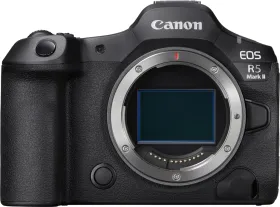
Canon EOS R5 Mark II Mirrorless Camera (Body Only)