Swollen battery on an HP OMEN 16: what HP actually says
HP states it plainly: a swollen battery is not a safety issue. Here's what that means in practice, and how to help slow it down.
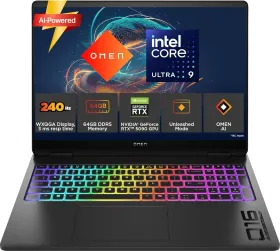
A common occurrence, not a danger according to HP
Over time, a notebook battery can become somewhat deformed or swollen — sometimes enough to affect the touchpad, keyboard, or chassis. HP is explicit on this point: a swollen battery is not, in itself, a safety issue. The swelling simply results from gas generation tied to the normal degradation of the cell over time — something HP works to minimize with its cell suppliers and independent experts.
What to do anyway
To protect the hardware from further damage, HP recommends stopping use of the notebook as soon as swelling is noticed, until the battery can be replaced. Under warranty, HP replaces the battery per the terms of the HP Worldwide Limited Warranty or applicable service contract; out of warranty, it's still possible to buy a genuine HP replacement battery directly through support.
Slowing down swelling over time
Several factors accelerate the process. On consumer laptops like this OMEN, HP Adaptive Battery Optimizer (available on select OMEN, Spectre, Pavilion, and ENVY models since 2019–2020) helps improve battery longevity and performance based on actual usage patterns.