Best Cheap Laptops in 2026: The Right Compromise Exists
You don't need a gaming PC to browse the web, write emails, or follow online courses. Here's how to pick an affordable laptop without missing what actually matters.
💻 Best Cheap Laptops in 2026
Not every user needs a gaming PC or a creative workstation: for web browsing, office work, online courses, or light remote work, a well-chosen affordable laptop is more than enough — provided you know which criteria actually matter at this price point.
Chromebook or Windows: a choice that depends on your needs
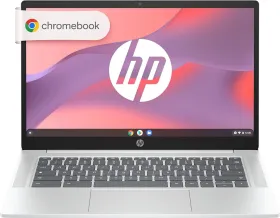
At an equivalent budget, a Chromebook generally offers smoother performance than an equivalent Windows machine, thanks to a lighter operating system. In exchange, it depends heavily on an internet connection and runs only a limited number of locally installed programs.
A Chromebook fits if:
- Your use is mostly web-based (browsing, emails, online documents)
- You have a reliable internet connection most of the time
- You value battery life and simplicity of use
A classic Windows PC fits better if:
- You need specific software installed locally
- You regularly use standard professional applications (full office suite, industry-specific software)
- You want maximum compatibility without constraints
The processor: don't aim for power, aim for smoothness
On an entry-level PC, the goal isn't raw power but a smooth experience for light use. A recent entry-level processor is more than enough for browsing, office work, and video streaming — no need to pay for more if your use stays basic.
RAM: the real point you shouldn't skimp on
This is the criterion most often sacrificed on the cheapest models, yet the one with the biggest impact on day-to-day comfort.
- 4 GB of RAM: strictly enough for very basic use, but quickly limits comfort with several tabs open.
- 8 GB of RAM: the recommended minimum today for comfortable daily use.
If you're choosing between a slightly better processor with 4 GB of RAM or a more modest processor with 8 GB, generally favor the extra RAM for real-world comfort.
Storage: prioritize the SSD, even at reduced capacity
An SSD, even a small one, radically transforms the responsiveness of an entry-level computer compared to a classic mechanical hard drive. A model with 128 or 256 GB of SSD will feel noticeably faster day-to-day than one with 500 GB of mechanical hard drive, despite the lower storage capacity.
Battery life and weight: concrete criteria for mobile use
If you regularly carry your laptop around, check the real-world battery life claimed (often lower than the advertised figure under heavy use) and the total weight, which can vary significantly between models of an equivalent screen size.
Comparison table: which cheap PC for your use?
| Use | Recommendation |
|---|---|
| Web browsing, emails, online courses | Chromebook, 4-8 GB RAM |
| Classic office work | Windows, 8 GB RAM minimum, SSD |
| Frequent mobile use | Light form factor, good real-world battery life |
| Specific software required | Windows, check compatibility before buying |
Mistakes to avoid
Choosing solely on the displayed price. A very cheap model with a mechanical hard drive and little RAM can become frustrating within the first few weeks of use.
Ignoring the length of software support. On a Chromebook especially, the end-of-update date is an important criterion to check before buying, often overlooked.
Overestimating your real needs. No need to pay for a more powerful processor or more storage if your actual use stays basic — better to invest that difference in more RAM.
Conclusion
A good cheap laptop isn't the one with the lowest price tag, but the one offering a coherent balance between sufficient RAM and SSD storage, even a modest one. By respecting these two priorities and choosing the system suited to your actual use, it's entirely possible to find a laptop that's pleasant to use daily without paying premium prices.