TV Buying Guide 2026
OLED, QLED, Mini LED, screen size, refresh rate: every criterion to know before choosing your next TV in 2026.
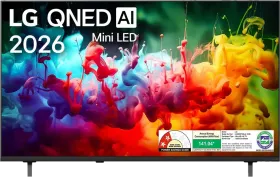
📺 TV Buying Guide 2026
Between panel technologies, screen sizes, and gaming features, choosing a TV in 2026 can quickly get complicated. This guide covers the essential criteria to help you choose confidently, whatever your budget.
Which panel should you choose: OLED, QLED, or Mini LED?
OLED panels
With each pixel able to switch off individually, OLED delivers perfect black levels and unmatched contrast, ideal for home cinema use in a dimly lit room. Its peak brightness, however, is generally lower than the best backlit panels.
QLED and Mini LED
These backlit technologies offer higher brightness, a real advantage in a very bright living room. Mini LED, thanks to backlighting segmented into many zones, significantly narrows the contrast gap with OLED compared to standard LED.
Standard LED panels
Still common in entry-level models, it remains a sensible choice for a secondary use or a tight budget, with more limited contrast than the two technologies above.
What screen size for your living room?
The right size depends above all on the distance between the screen and where you usually sit. A screen too large for the room can become uncomfortable over time, while one too small doesn't fully take advantage of 4K resolution.
| Viewing distance | Recommended screen size |
|---|---|
| About 2 meters | 43 to 50 inches |
| About 3 meters | 55 to 65 inches |
| More than 3.5 meters | 65 inches and above |
Resolution and HDR
4K is now the standard, even on entry-level models; 8K remains a niche, held back by the lack of native content available. HDR (High Dynamic Range), on the other hand, makes a visible difference day to day: check compatibility with the most common formats (HDR10, Dolby Vision) rather than just the pixel count.
Refresh rate and gaming
For players on a recent console or PC, a 120 Hz refresh rate combined with HDMI 2.1 ports lets you take full advantage of high-frequency gaming. VRR (variable refresh rate) and ALLM (automatic low-latency mode switching) are also worth checking if gaming is a priority.
Smart TV: which operating system?
Most TVs today ship with their own Smart TV system (webOS, Tizen, Google TV, among others). Beyond interface preferences, mainly check the availability of your usual streaming apps and how often the manufacturer rolls out updates.
Summary table: which technology for your needs?
| Need | Recommended technology |
|---|---|
| Home cinema in a dark room | OLED |
| Bright living room | QLED / Mini LED |
| Next-gen gaming | 120 Hz panel with HDMI 2.1 |
| Tight budget | Standard LED with Smart TV |
Common mistakes to avoid
Choosing a size that doesn't fit the room. Calculate your actual viewing distance before deciding, rather than automatically aiming for the largest size possible.
Overlooking the number of HDMI 2.1 ports. On some models, only one port actually supports 120 Hz at 4K: check this detail if you plan to connect multiple compatible devices (console, PC).
Forgetting about the audio. On very thin TVs, there's limited room for powerful speakers. A complementary soundbar is often still recommended to fully enjoy your content.
Conclusion
Before comparing spec sheets, define your main priority: contrast and home cinema, brightness for a bright room, or responsiveness for gaming. That criterion, far more than screen size alone, should guide your TV choice in 2026.