Essential Laptop Accessories Buying Guide 2026
Mouse, docking station, carry bag: some accessories genuinely transform how comfortable a laptop is to use, others are just extras in the literal sense. Here's how to prioritize.
🖱️ Laptop Accessories Buying Guide 2026
A laptop is designed for mobility, but that often means ergonomic compromises once it's sitting on a desk day after day. A few well-chosen accessories can considerably improve your working comfort, without piling up unnecessary expenses.
The external mouse: the first accessory to consider
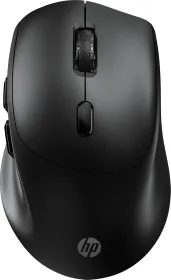
A laptop trackpad, however good, remains less precise and slower than a mouse for most extended desk use. It's often the accessory with the best comfort-to-price ratio.
Wired or wireless?
A wireless mouse offers more freedom of movement and a tidier desk, at the cost of managing battery or batteries. A wired mouse remains a reliable, maintenance-free option for a fixed setup.
The docking station (USB-C dock): a real time-saver day to day
If you alternate between mobile use and sitting at the same desk, a docking station transforms the experience: one cable to plug and unplug, instead of several individual cables (monitor, power, peripherals) every time you set up.
What to check before buying
- Compatibility with your laptop's port (Thunderbolt, standard USB-C)
- The charging power delivered, to avoid needing a separate charger
- The number and type of available ports for your needs (external monitors, wired network, USB peripherals)
The laptop stand or riser: cheap, real ergonomic benefit
Used flat on a desk, a laptop typically places the screen too low, forcing a forward-leaning head position over long sessions. A stand that raises the screen to eye level, paired with an external keyboard and mouse, significantly improves postural comfort — a benefit often underestimated until you experience it.
The carrying bag or sleeve: protecting a significant investment
For regular mobile use, a properly sized sleeve or bag effectively protects against bumps and scratches during transport. Check that the size matches your screen's diagonal precisely — an oversized model offers less protection against side impacts.
External hard drive or SSD: a safety net for your data
Even with online storage, a physical backup medium remains good practice for large or sensitive files. An external SSD, faster and more shock-resistant than a classic mechanical hard drive, generally justifies its slightly higher cost for mobile use.
Summary table: which accessory to prioritize?
| Accessory | Priority | Main benefit |
|---|---|---|
| External mouse | High | Comfort and precision |
| Laptop stand/riser | High | Postural ergonomics |
| USB-C docking station | Medium | Time savings, fixed setup |
| Carrying sleeve | Medium | Protection while mobile |
| External SSD | As needed | Data backup |
Mistakes to avoid
Prioritizing style over ergonomics. An aesthetically pleasing but poorly designed accessory can create discomfort that builds up over months of daily use.
Buying an incompatible docking station. Not all USB-C docking stations deliver the same charging power or the same features — always check compatibility with your specific model before buying.
Piling up accessories without a real need. As with smartphone accessories, it's better to invest in two or three genuinely useful accessories used daily than in a complete pack half of which will go unused.
Conclusion
For most users who sit at a desk a good part of the day, an external mouse and a screen stand are enough to significantly transform a laptop's comfort of use, for a minimal investment. More specific accessories (docking station, external SSD) are only worth it if they match a regular, concrete need on your part.